Grok Bot

What is Grok Bot? How to use AI agents in your small business (setup guide)

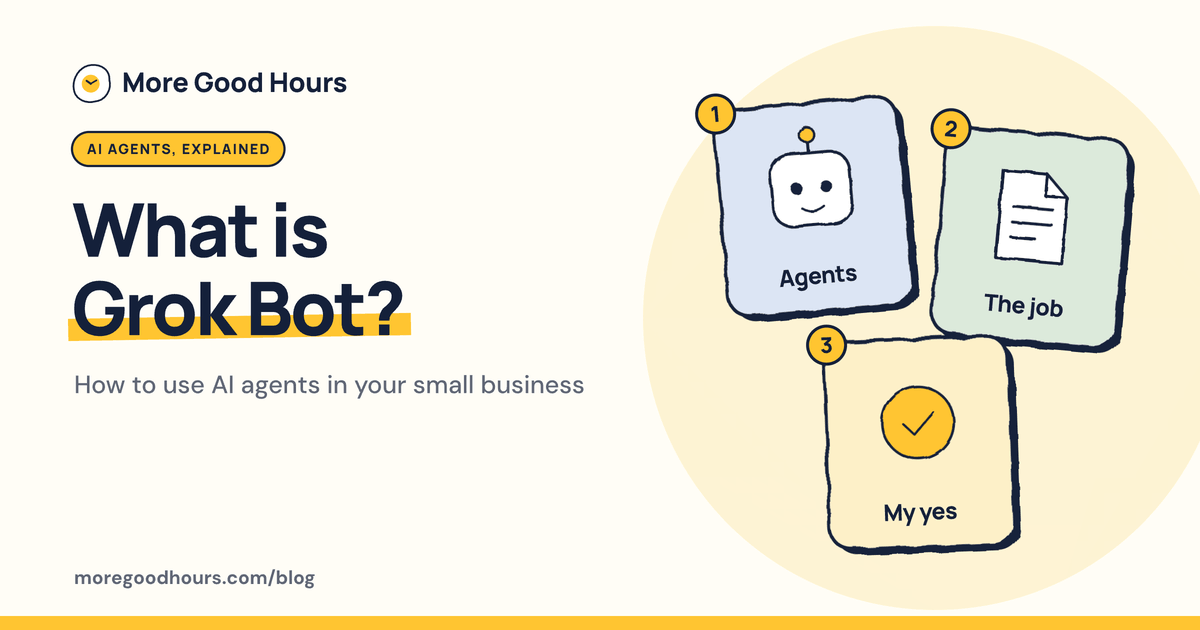
More Good Hours blog cover reading "What is Grok Bot?", with the line "How to use AI agents in your small business". Three numbered hand-drawn cards sit beside it: an agent, a job sheet, and a yellow check mark for the owner's sign-off.

Short answer

Grok Bot is a team of always-on AI agents, each with its own computer in the cloud, that sign into your tools and keep working while you're in meetings. As of September 2026 it's in beta, and I use it for SEO drafts, renewals, and invoices with one rule: nothing publishes, spends, or reaches a customer without my sign-off.

Key takeaways

  • Grok Bot is a separate product from the Grok chatbot on X. One is the chat you talk to. The other goes and finishes the job.
  • Talk to one agent, like Firstmate, and let it route work to specialist bots for SEO, renewals, and invoices.
  • Put the same rule on every job card: nothing publishes, spends, or reaches a customer without your sign-off.
  • Before you assign any job, write four lines: what the agent may edit, what must escalate, what never auto-publishes or auto-sends, and who reviews before send.
  • Start with one job that has clear inputs and outputs, like SEO title tags, metas, and alt text.

Written in September 2026, while Grok Bot was in beta. Features, links, and marketplace bots may have changed since.

I run a small operation. Meetings stack. Emails pile up the moment I leave my desk. Draft deadlines creep closer while I am stuck in calls. The CFO of my company recommended that I try Grok Bot, so I decided to test it with that sort of week in mind, and I want to share what I am seeing for other owners who feel the same squeeze.

This is not an ad. Nobody paid me to write this. I am writing because the platform feels surprisingly user-friendly, and I am pleased by how little setup I needed before work started moving.

What is Grok Bot?

Grok Bot is a team of always-on agents. Each bot gets its own computer in the cloud, but it can also operate the browser on your device, similar to Claude Cowork. It signs into the tools I already use, works across apps and browsers, and keeps going after I step into the next call. Publish, spend, and customer sends stay with me until I say yes.

Illustration of a team of always-on agents. Three agent cards, for SEO drafts, renewals, and invoices, each sit on their own cloud computer with a progress bar filling. Arrows lead down to a yellow gate labeled "Waits for my yes" with tags for publish, spend, and customer sends. Beside it, a phone shows a big check mark: approvals come from my phone or my laptop, and the work is never lost.
Every bot works on its own computer, and anything that publishes, spends, or reaches a customer waits for me.

Grok Bot launched in beta in August 2026 (read the announcement). It is a separate product from the Grok chatbot most people already know from X. One is the chat you talk to. The other is the one that goes and finishes the job.

How I set up Grok Bot

I connected Grok Bot to the tools I already run my operation on. No new logins to build by hand, no waiting on an integration team to wire anything up.

Firstmate is the only agent I talk to (add it as a template here). I describe a job in plain language. It routes the work to whichever specialist bot fits. I have one bot that handles SEO drafts, one that handles renewals, and one that handles invoices. Each of those carries the same rule on its job card. Nothing publishes, spends, or reaches a customer without my sign-off first.

And usually, it does need my sign-off. As many rules as I have for writing, AI can never seem to get my tone and voice 100% right.

Can you use Grok Bot from your phone?

My favorite Grok Bot feature has to be its mobile app. You can start something on your laptop or your phone and the work is never lost. I can be at the gym prompting it on my phone. The CFO who referred me to Grok Bot praises the feature as a father.

I also love that they have a marketplace where you can easily take and share bots that others have built!

How can a small business use Grok Bot?

Here’s the first thing I tried it on: SEO draft work. An agent worked title tags, metas, and alt text with publish locked on the job card. I reviewed the shortlist, then published. All I gave it was a plan to improve SEO and it handled the rest.

Templates and bots you can borrow to try it out

  • SEO and AEO Desk: research and briefs only, never publishes.
  • Haggle Bot: for renewals and spend. It inventories spend and drafts vendor counters for review, and never spends or sends without me.
  • Renewals Invoice Bot: runs with a hard weekly allowance and an approved list, escalating anything new or customer-facing.
  • Firstmate: the chief of staff bot that starts me in one chat and routes work to specialists when several lanes move at once.
Illustration of one chat routing work to specialists. I send a job in plain words to Firstmate, a chief of staff agent in a yellow card, which sends arrows out to three specialist bots: SEO drafts, renewals, and invoices. A bar underneath reads "Nothing publishes, spends, or reaches a customer without my sign-off."
Firstmate is the only agent I talk to. It routes each job to the specialist bot that fits.

How to stop AI agents from publishing without your approval

Four lines before I assign anything.

  1. What the agent may edit.
  2. What must escalate.
  3. What never auto-publishes or auto-sends.
  4. Who reviews before send.

I write these down before the job starts, not after something goes out I did not mean to send.

Try one job this week

If your week freezes every time you join a meeting, try one job this week. Pick a pile with clear inputs and outputs. Write the four lines. Give a Grok Bot agent a computer and the tools it needs. Leave once on purpose. See what still needs you when you get back. It can ping you straight to your phone.

What job would you hand an agent with its own computer first?
Frequently asked questions

How do I set up AI agents for my small business?

Start with one job that has clear inputs and outputs, like SEO title tags, metas, and alt text. Talk to one lead agent and let it route work to specialist bots. Before the job starts, write four lines: what the agent may edit, what must escalate, what never auto-publishes or auto-sends, and who reviews before send.

What is Grok Bot?

Grok Bot is a team of always-on agents. Each bot gets its own computer in the cloud, and it can also operate the browser on your device. It signs into the tools you already use, works across apps and browsers, and keeps going after you step into your next call. As of September 2026 it's in beta.

Is Grok Bot the same as the Grok chatbot?

No. Grok Bot is a separate product from the Grok chatbot most people know from X. The chatbot is the chat you talk to. Grok Bot is the one that goes and finishes the job.

What can a small business use Grok Bot for?

I started with SEO draft work, where an agent worked title tags, metas, and alt text with publishing locked until I reviewed the shortlist. I also have bots for renewals and invoices. The marketplace has bots you can borrow, like an SEO and AEO desk that only researches and writes briefs.

How do I stop an AI agent from publishing or sending something I didn't approve?

Write four lines on the job card before the job starts: what the agent may edit, what must escalate, what never auto-publishes or auto-sends, and who reviews before send. Every one of my bots carries the same rule that nothing publishes, spends, or reaches a customer without my sign-off.

Does Grok Bot have a mobile app?

Yes. You can start something on your laptop or your phone and the work is never lost, so I can prompt it from my phone at the gym. It can also ping you on your phone when something needs you.

Neessam, AI Consultant and Co-founder at More Good Hours

Written by

Neessam

AI Consultant and Co-founder, More Good Hours

Neessam studied computer science and has spent several years working in software development, design, and AI implementation. Based in New York City, she's an expert at bringing new tools into small businesses and putting them to work in the everyday running of the business. Neessam has a passion for productivity and design that she brings to every problem she solves for her clients.

Also published on Substack: read the original post.

Want help setting this up?

Book a no-cost intro call, and we'll talk through your week and where AI could take work off your plate.

Book an intro call
Let’s chat